Sharing reports
Read-only share links with optional password protection, view stats, regeneration, and revocation — plus PDF export.
Share links
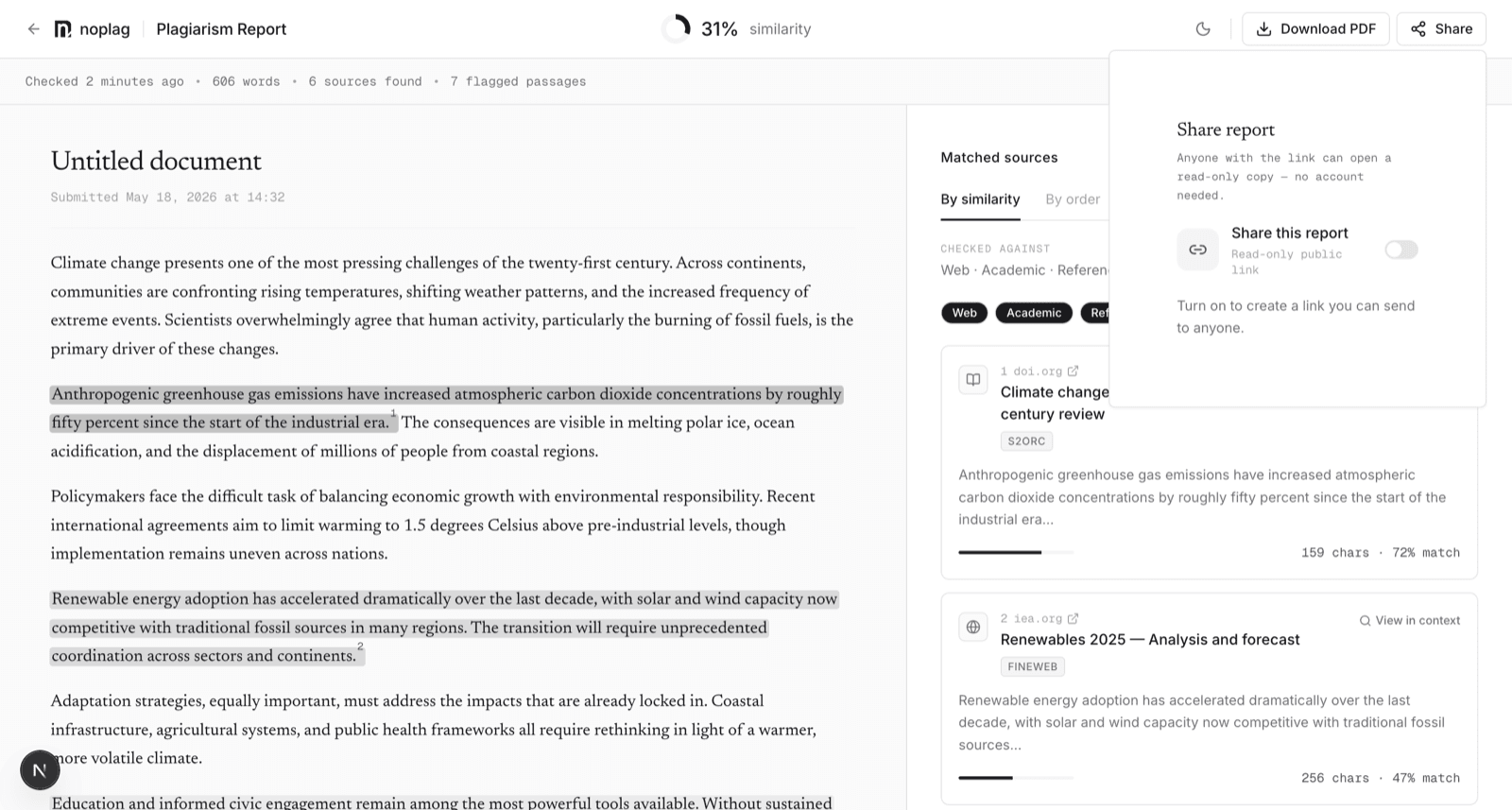
Sharing is off by default; a report is private until you create a link.
Turn on sharing
Open the report and use Share in the header, then flip on "Share this report". This mints a read-only public link — the recipient sees the report (score, sources, highlighted passages) without a Noplag account.
Optionally set a password
Turn on "Require a password" in the same popover. Regenerate the link to apply password changes.
Copy and send
The popover also shows view stats — how many times the link was opened and when it was last viewed.
Two controls when a link is out in the world:
- Regenerate link — mints a new URL; the old one stops working. Use it if a link spread further than intended.
- Stop sharing — revokes the link immediately.
What recipients see
The same evidence you see: score, matched sources, and where each passage matched. If you've applied match sensitivity filters, the shared view reflects the same filtered result, labeled as such — recipients are never shown a silently filtered score.
Download as PDF
Reports can be downloaded as a PDF for records, submissions, or clients. The PDF carries the report identity — title, date, and report ID — so a printed report can be traced back to the check that produced it.